
Visual and versatile communicator
Ready to start from day one.
A core vocabulary of 70 words and 48 topic folders, with around 1,000 words with Mulberry pictograms. You can also add your own words with a photo.
Build a sentence with pictograms and the app says it out loud. It is an augmentative and alternative communication (AAC) app for people with autism and anyone who needs support to communicate. Communicating works without internet, and it is easy to support.
Free at launch · Join the waitlist


Meet Muni
Move your cursor and watch Muni follow it with their eyes.
For the team around the person
Communication is built across several disciplines. ComunicaTEA was created by a special education teacher to be used at home, in the classroom and in therapy.
On a phone or tablet, at the person’s pace.
The app is not in the stores yet. Leave your email and we will let you know when you can download it. It will be free at launch.
Choose the support level, the most-used pictograms, and the voice that sounds best. The app adapts to each person.
Tap pictograms: the app builds the sentence and says it out loud. Word prediction suggests the next word, but never moves the board.
In 19 seconds, a hand taps “I”, “want” and “more”, and the sentence appears at the top: “I want more.” There is soft music and a voice at the end. It only starts when you press play.
Soft music without lyrics plays throughout. This is an illustration, not a screenshot. Pictograms: Mulberry Symbols (CC BY-SA).
A communicator designed to adapt to each person, with pictograms, vocabulary, contexts, phrases and voice in one place.
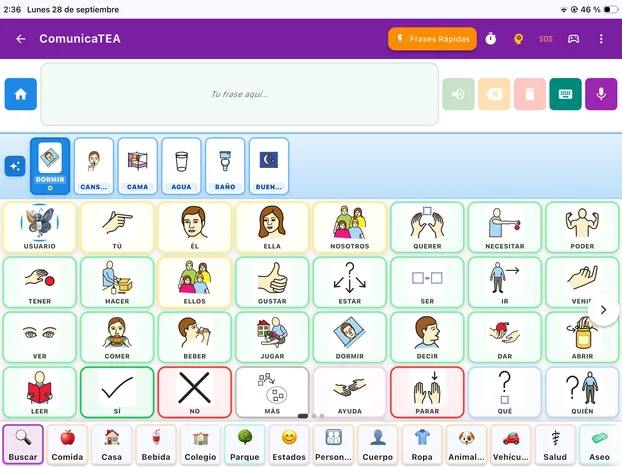
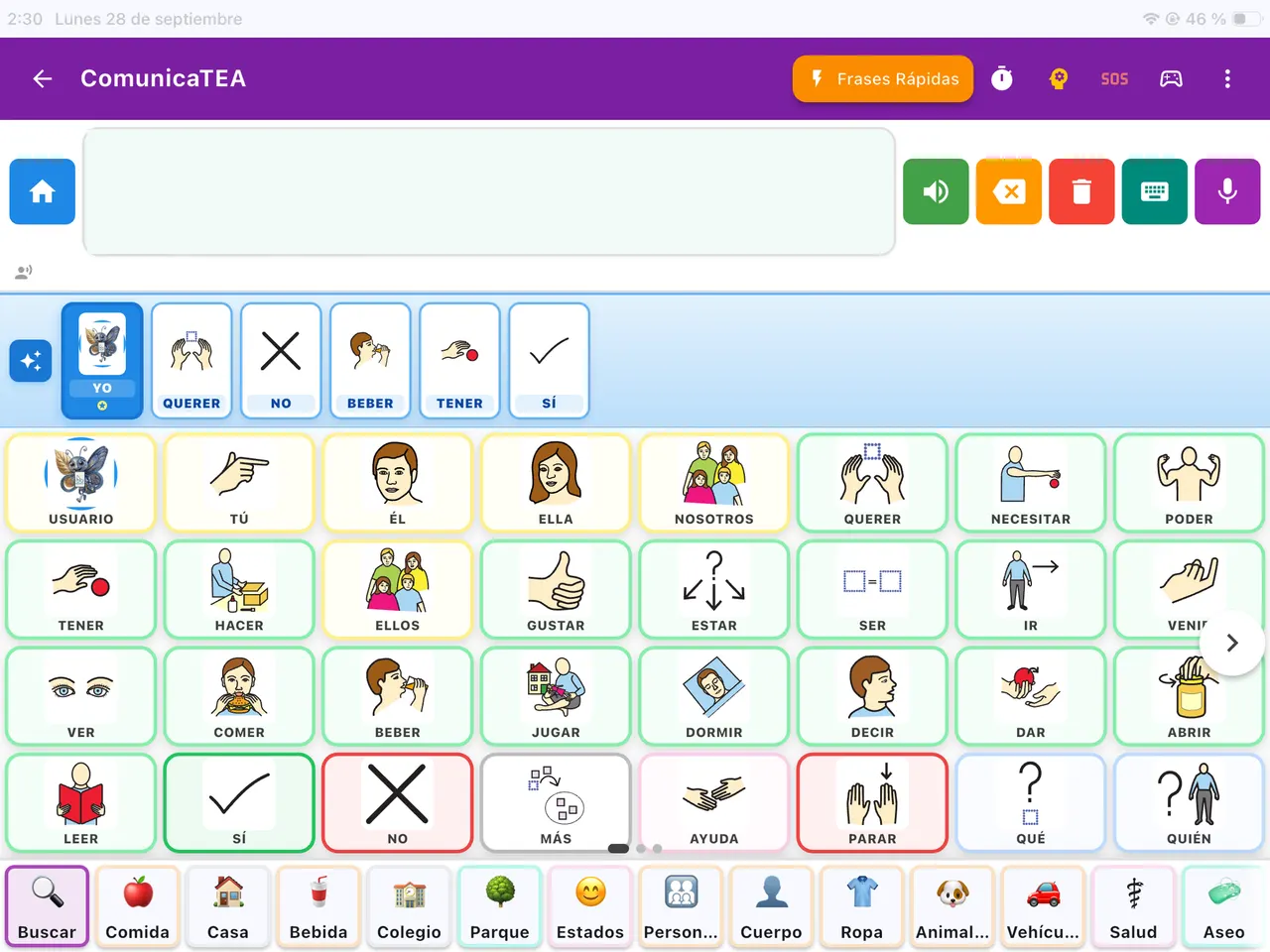
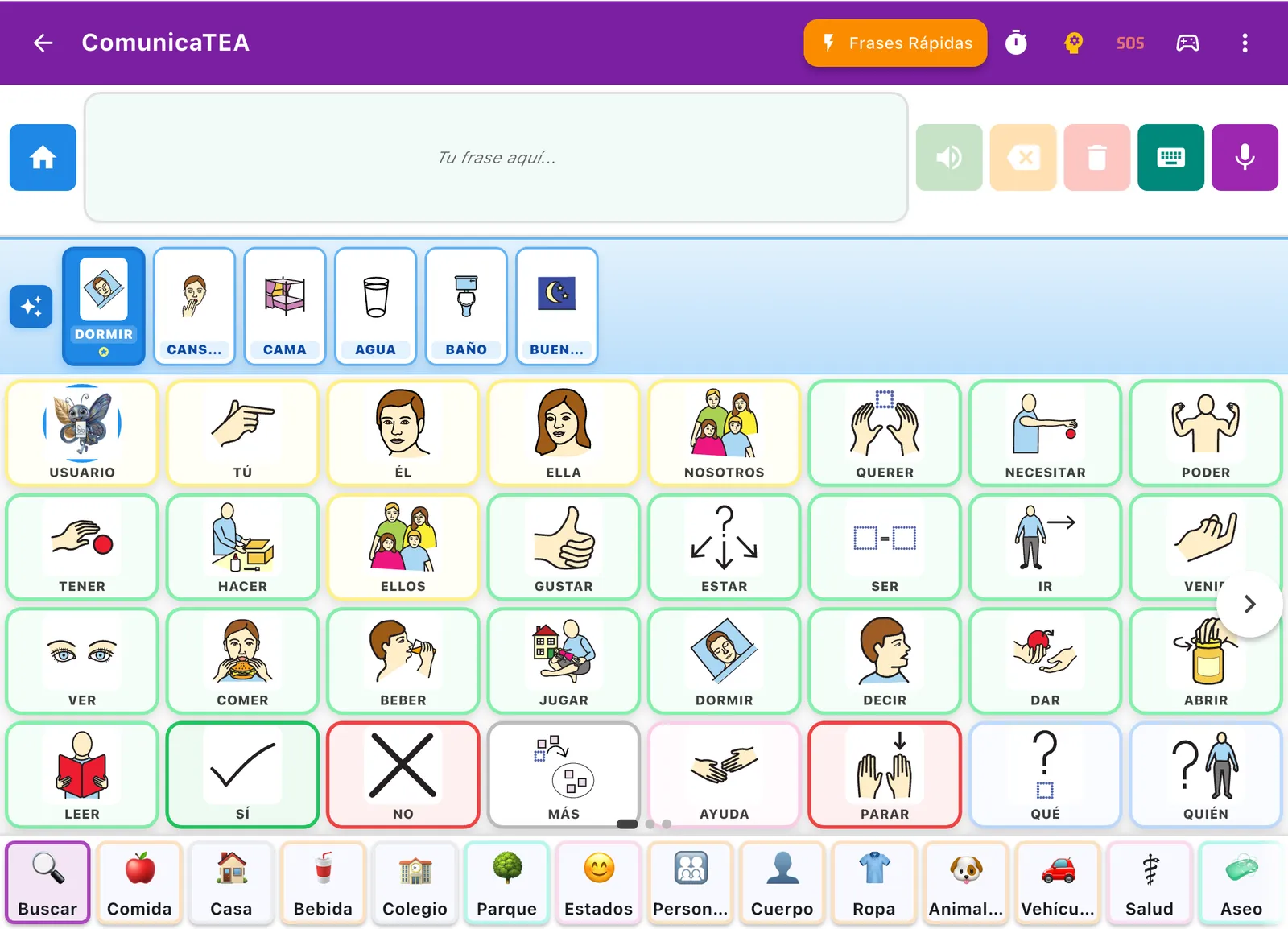
Build messages, find the words you need and speak out loud, all from the same place.
The words you select are added to the sentence to express what you want to say.
Reach the phrases you use most often and communicate in fewer steps.
People, actions, needs and concepts to build complete messages: I, you, want, need, can, have, do.
Browse vocabulary by category —food, home, school, park, body, clothes— and reach every area of communication.
Play the message out loud. Next to the speaker you have delete, keyboard and dictation.
Timer, SOS, games and settings live alongside the communicator, without leaving the screen.
Quickly reach the vocabulary related to each situation, so the words you need are there when you need them.
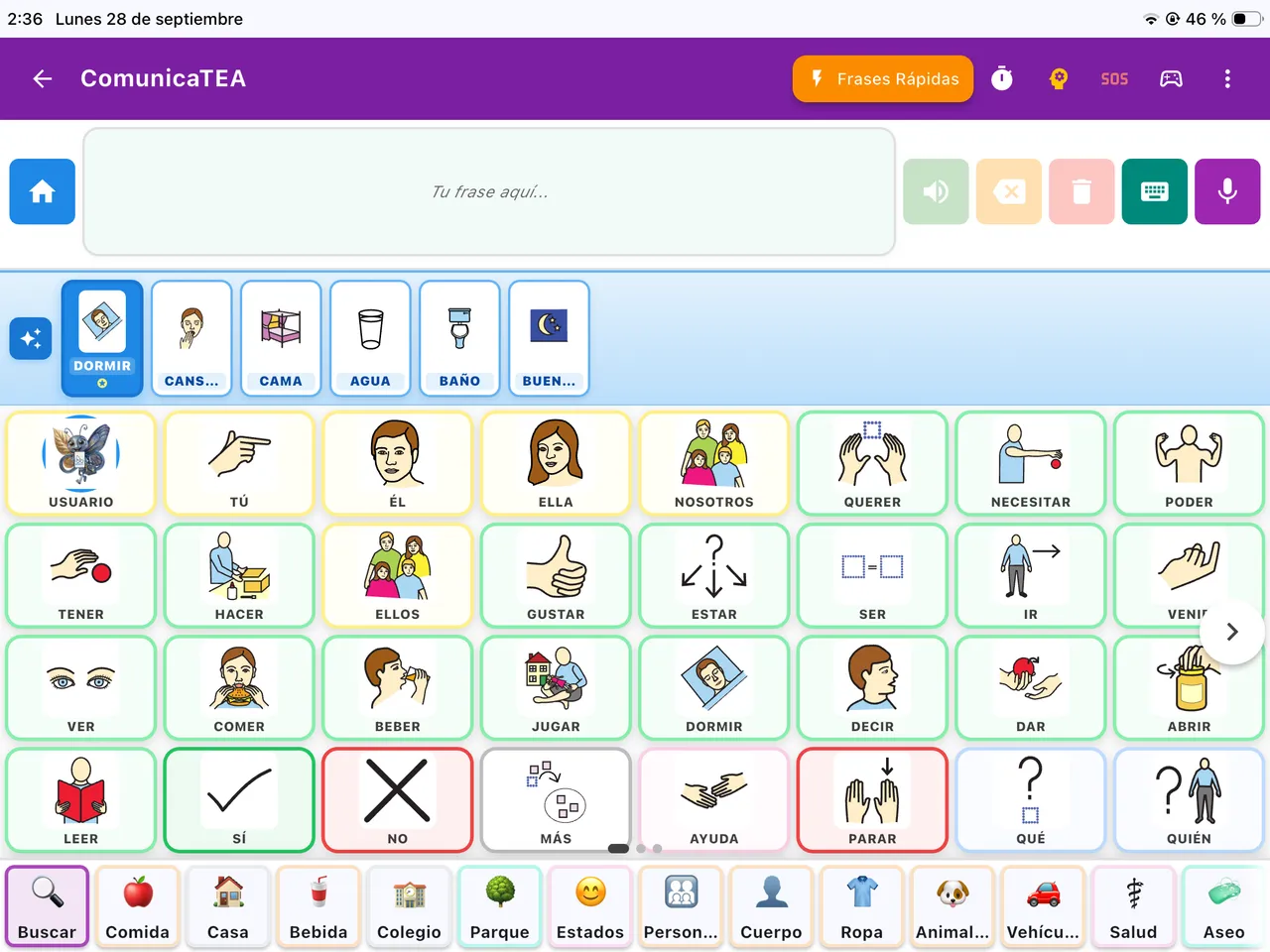
Reach vocabulary organised around different situations and needs.
Each context gathers the words that belong to one situation: fruit, desserts, breakfast, water, bread, meat, pasta, rice, soup.
Even inside a context, the essential words —I, want, more, no, yes, help, stop, like— stay available to build and express your messages.
Join our newsletter to receive downloadable guides, app updates, and augmentative communication resources for your family or professional practice.
Ready to start from day one.
A core vocabulary of 70 words and 48 topic folders, with around 1,000 words with Mulberry pictograms. You can also add your own words with a photo.
Fewer steps to say the same thing.
Suggests the next word based on how each person communicates. It is calculated on the device, works offline and is not a language model. It suggests; the person decides.
Every sentence, out loud.
The device’s own voice always works, also offline. Natural voices need a connection and have a usage limit.
Food, home, school: each topic has its words.
Words are grouped into 48 topic folders that you open by hand. Inside a folder, the core words stay on screen.
Grows with each person, at their pace.
From 8 words in very large cells to the full 70-word core vocabulary. When you move up a level, new words arrive and the ones already learned stay in place. Colours by word type, in the style of the Fitzgerald Key.
Adapted to how each person taps.
Set a minimum press time, a pause between taps and larger targets. Switch scanning is also available.
Every person, their own space.
Create separate profiles, each with its own vocabulary, statistics and settings, and with its data kept apart. Useful for families and for professionals who support several people on one device.
Well-formed sentences, no extra effort.
In Spanish, French, Italian and Portuguese the app conjugates verbs and makes words agree. In English and German it says the words in the order they were tapped.
Know what comes next.
Visual schedule with repeating tasks, visual timer, First–Then board, emergency board and Relax, all available offline.
Changes only when an adult decides.
An adult challenge guards the settings and editing mode, a parental PIN protects irreversible actions, and there is a configurable kiosk mode.
More than pictograms.
A keyboard with autocomplete, an alphabet, numbers and on-device dictation.
What’s used most, always at hand.
Suggested phrases, your own phrases and recent ones, to say what is used most with a single tap.

Every child has something important to say. ComunicaTEA supports that desire to connect from the very beginning.
Tools to participate in class and share ideas with others.
Express personal preferences, hang out with friends, navigate the world. The app grows with the person.
For work, family, and community life.
Verbal communication doesn't always come.
✓ Tap an image and the app says it out loud. At your pace.
The frustration of not being able to communicate affects everyone.
✓ Visual tools that create connection at home, in the park, anywhere.
Each person needs their own setup.
✓ Several profiles on one device, each with its own vocabulary and statistics.
ComunicaTEA suggests the word that might come next, based on the words used most, the grammar of the sentence and the time of day. It works this out on the device itself and works offline.
Suggestions appear in their own space: the board never reorders, and every pictogram stays where it is.

I am Alfonso Cosme, a psychopedagogue and special education teacher specialising in early intervention. I designed ComunicaTEA around what I found missing in the classrooms, occupational centres and day centres where I have worked.
Clear and simple answers about ComunicaTEA, autism and pictogram communication.
What the person says with the app (the history, the statistics and the prediction) is stored on the device. Only what you turn on leaves the device: for example, if you choose a natural voice, the text of the sentence is sent to ElevenLabs or Google to be spoken. Technical usage data does not include words or personal data and is only sent with your consent. From the app you can export and delete all the data.
It is an augmentative and alternative communication (AAC) app. It lets a person who does not speak, or who needs support to do so, say what they want to say: they tap pictograms, the app builds the sentence and says it out loud. It is designed for people with autism and other communication support needs, their families and the teams that support them. It is free at launch. It has not been released yet: you can join the waitlist.
AAC brings together the supports that help people who do not speak, or who need support to speak, to communicate: pictograms, communication boards, speech-generating devices and apps like ComunicaTEA. It does not replace spoken language: it accompanies it. It is a common support in speech therapy and special education.
Yes. The app has a visual schedule with tasks, each with its pictogram and time, which can repeat on chosen days. It also has a visual timer and a First–Then board to see what happens now and what comes next. All of it works offline. The schedule does not send reminders or notifications.
Yes. The board has four levels. The first shows 8 words in very large cells. Then come 20, 40 and 70 words. When moving up a level, new words arrive and the ones already known do not move. When and how to start is best decided with the professionals who support the person.
Each person communicates in their own way, and the app adjusts to them. It has four board levels, from 8 to 70 words, and words never change place so the hand learns where each one is. You can set a minimum press time, a pause between taps and the size of the targets, and use switch scanning. It respects the system setting to reduce motion, has text scaling and works with the screen reader in the communicator.
A communicator with a core vocabulary of 70 words and 48 topic folders, with around 1,000 words with Mulberry pictograms. Quick phrases, visual schedule, First–Then, timer, Relax and emergency board. Conjugation and agreement in Spanish, French, Italian and Portuguese. Next-word prediction. Device voice or natural voices. Profiles and your own words with a photo.
Communicating always works offline: choosing a pictogram and hearing it does not depend on the network. Without internet you can use the board and its roughly 1,000 words with pictograms, the sentence, the device voice, prediction, the schedule, quick phrases and supports such as the emergency board or Relax. Natural voices need a connection and have a usage limit; offline, the device voice speaks.
It will be released for Android and iOS. It is not available in the stores yet: you can join the waitlist. The interface is in 6 languages: Spanish, English, French, German, Italian and Portuguese. Sentences are conjugated in 4 of them: Spanish, French, Italian and Portuguese.
It does not need internet. Prediction suggests the next word based on how each person uses the app: which words they use, in what order and at what time. It is calculated on the device itself and it is not a language model. It suggests, but does not decide: it never reorders the board or says anything the person has not chosen.
No. It is designed for people with autism and for anyone who needs support to communicate, at any age: for example, people with cerebral palsy, Down syndrome, aphasia, developmental language disorder or a physical or motor disability.
Free early access for families and professionals. Join the waitlist and we will let you know when it is ready for your device.